Upload. Generate. Save.
AssetClean AI: transparent cutouts, cleanup, upscale — plus restore, object removal, outpaint, and color correction. One clear goal.
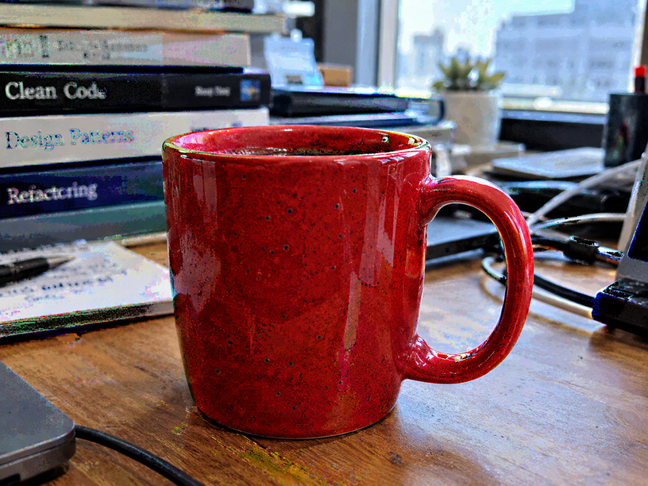
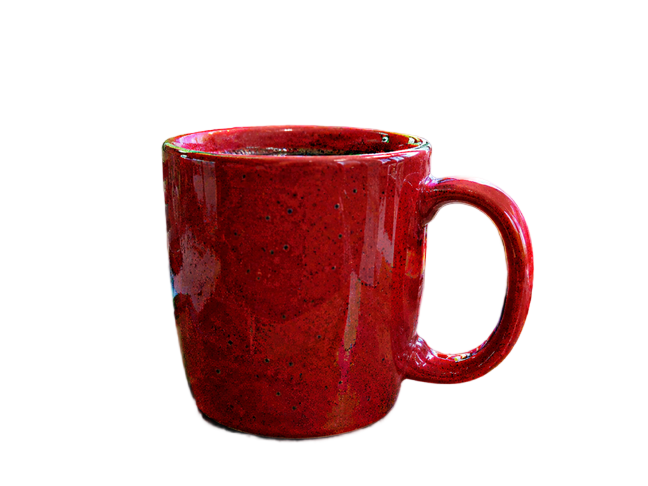
Mug cutout · transparent PNG (checkerboard is preview only)
Why choose us
Typical e-commerce SaaS packs every menu into a maze. We do one thing, clearly.
Typical e-commerce SaaS
Crowded menus, busy dashboards, and features you never asked for. You learn the product before you finish the job.
AssetClean AI
A clear goal: get the image done. No extra chrome, no clutter.
- Upload
- Generate
- Save
Core tools
Cut out, clean, upscale — plus restore, remove, outpaint, and color. One goal: upload, generate, save.
Hair / sprite cutout
Keep partial transparency and messy edges. Export a transparent PNG for UI, effects, and sprite frames.
Try itClean generated images
Repair noise, black spots, and artifacts so a picture that only looks fine can enter the pipeline.
Try itAI Image Upscaler
Bring a cleaned asset up to a usable resolution and chain it with the other two steps.
Try itPhoto restoration
Fix faded, scratched, or soft old photos — clearer, cleaner color.
Try itRemove Object from Photo
Describe what to remove — people, poles, logos — and fill the background.
Try itExpand Image AI
Extend the frame on any side, or zoom out and fill the edges.
Try itColor correction
Balance exposure and tones for natural, usable color.
Try itGuided cutout
Describe what to keep in plain words — everything else becomes a transparent PNG.
Try itText to Image AI Generator
Create images from a prompt. Fast for drafts, Pro for detail, Premium for high-res tiers.
Try itFAQ
How do I use it?
Open a tool → upload an image → wait for processing → preview the before/after, then download and save. Signed-in users see the USD estimate before each run.
What tools are available?
Generate from a prompt, remove background (transparent PNG), clean artifacts while keeping detail, and upscale. Home demos let you drag to compare real results.
How is pricing shown?
Pricing is tiered by image size and options. The site and workbench show prices in USD, with an estimate before you run.
Can I try for free without signing in?
Yes. Guests get 2 free remove-background runs per day (size and anti-abuse limits apply). Clean and upscale require sign-in.
Do failed runs cost money?
No. Failed jobs are refunded automatically — your balance is unchanged.
Which formats are supported?
PNG, JPEG, and WEBP up to 10MB. Remove-background results are PNG with transparency.
Are my images uploaded to a server?
Yes. Images are sent to our servers for processing, then you can download the result. Processing credentials never go to your browser.